Explain a task
Mark a control with an arrow and a short note so your teammate can find it quickly.
Capture a window or screen area, add a background and breathing room, then point out what matters with an arrow or text. ScreenShotto helps you make a clear image without a complex design editor.
Free · Requires macOS 14.2 or later
A useful screenshot shows people where to look and what to do next.
Mark a control with an arrow and a short note so your teammate can find it quickly.
Prepare an app screenshot for a product update, presentation or social post.
Share a clean image with the important detail visible at a glance.
Watch a real ScreenShotto workflow: capture, styling and annotations.
These clips show the tools in use. Explore the ones that help your workflow.
Get the window you need without cropping the entire screen by hand.
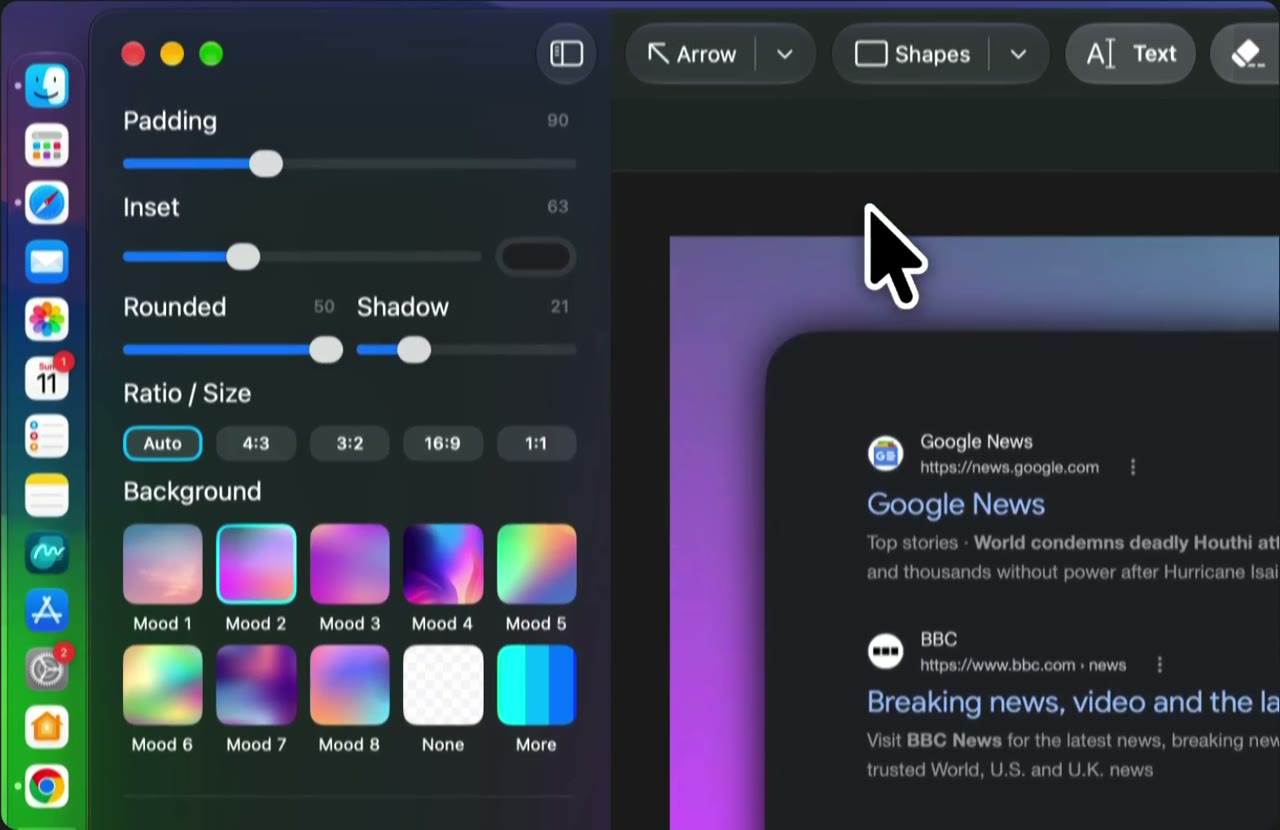
Add space around the image and choose proportions for email, slides or a post.
Adjust corner radius and a soft shadow to give the screenshot a clean finish.
Choose a ready-made background that suits your image and where you plan to share it.
Point to the button, setting or other detail you are talking about.
Add a short note next to the part of the image you want to explain.
Cover text you do not want to include before sharing your screenshot.
Get the app from the Mac App Store and try it on your own capture.